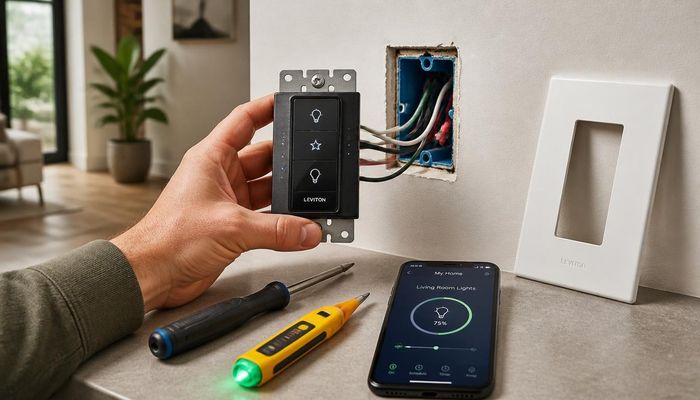
How Smart Light Switches Work and Why You Need Them
TL;DR: A smart light switch replaces a standard wall switch to add remote control, scheduling, dimming, and voice assistant integration. Cost is $25-$80 per switch for the device and $50-$150 installed per switch if you hire an electrician. Most smart switches last 10-15 years. Top brands: Lutron Caseta, Leviton Decora Smart, TP-Link Kasa, and Philips Hue. Installation in a single-pole switch box with a neutral wire is a 20-minute confident DIY project; 3-way switches and homes without a neutral require careful selection (Lutron Caseta does not need neutral).
What Is Smart Light Switches?
A smart light switch is a wall-mounted switch with built-in wireless radio (Wi-Fi, Z-Wave, Zigbee, Thread, or proprietary like Lutron Clear Connect) that controls the load (lights) while communicating with a phone app, hub, or voice assistant. Smart switches replace the wall-side decision-making of lighting (when, how bright, what color temperature) without requiring smart bulbs in every fixture.
How Much Does Smart Light Switches Cost?
Smart switches cost $25-$80 each: Lutron Caseta $50-$80, Leviton Decora Smart $35-$60, TP-Link Kasa $25-$40, and premium Lutron RadioRA3 $80-$120. Add $30-$80 per switch for hub if required (Lutron Caseta needs a hub; Wi-Fi switches do not). Electrician installation runs $50-$150 per switch.
| Brand | Per Switch | Hub Required | Installed Per Switch |
|---|---|---|---|
| Lutron Caseta dimmer | $50-$80 | Yes ($80) | $100-$180 |
| Leviton Decora Smart Wi-Fi | $35-$60 | No | $70-$130 |
| TP-Link Kasa | $25-$40 | No | $60-$120 |
| Philips Hue smart switch (Tap Dial) | $30-$60 | Yes | $70-$120 |
| Lutron RadioRA3 (whole home) | $80-$200 | Yes ($400+) | $150-$300 |
How Long Does Smart Light Switches Last?
Quality smart switches last 10-15 years. The wireless radio and microcontroller typically outlast the mechanical paddle and dimmer electronics. Lutron Caseta and Lutron RadioRA3 carry 5-year warranties and have field reliability into the 15-20 year range. Wi-Fi-based switches (TP-Link, Wyze) are limited by app and cloud support; switches with discontinued cloud services may become dumb switches at 5-8 years.
Can I DIY Smart Light Switches?
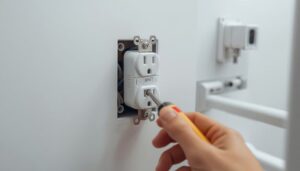
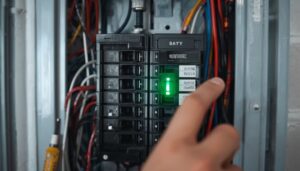
Smart switch installation is a confident DIY project for someone comfortable with basic wiring. Plan 20-30 minutes per switch: turn off the breaker, verify dead with a tester, remove the old switch, identify the wires (line, load, neutral, ground, and any travelers on 3-way), wire the new switch per the diagram, secure, restore power, and pair with the app or hub. The most common DIY blocker is a switch box without a neutral wire, common in homes built before 1985.
3-way and 4-way switches require careful product selection: many smart switches require the smart switch at the line-end position and dumb companion switches at the other positions. Lutron Caseta uses a wireless companion (Pico) that does not require any wiring changes at the other end, making it the easiest 3-way smart upgrade.
What Are the Best Smart Light Switches Options?
Lutron Caseta is the gold standard for reliability and works without a neutral wire (rare). Leviton Decora Smart Wi-Fi is the simplest hub-free option. TP-Link Kasa is the budget pick. For whole-home professional integration, Lutron RadioRA3 dominates the high end. Pick by ecosystem (HomeKit, Alexa, Google) and whether you need 3-way and no-neutral compatibility.
| Brand | Model | Best For | Price |
|---|---|---|---|
| Lutron | Caseta PD-6WCL | No-neutral homes, 3-way | $60-$80 |
| Leviton | Decora Smart D215S | Standard Wi-Fi homes | $45-$60 |
| TP-Link | Kasa HS200/HS220 | Budget pick | $25-$40 |
| Lutron | Caseta Diva | Modern aesthetic | $65-$90 |
| GE | Cync (Z-Wave) | Smart hubs (Hubitat, SmartThings) | $30-$50 |
When Should I Replace or Upgrade Smart Light Switches?
Replace a smart switch when the wireless connection drops repeatedly (failing radio), the paddle no longer triggers reliably (failing mechanical), the manufacturer has discontinued the cloud service (Wyze, GE Bright, original Belkin Wemo were affected), the dimmer electronics buzz audibly, or you are switching ecosystems. A smart switch that has gone dumb due to a discontinued cloud service can usually be replaced with a Lutron or Leviton equivalent for $40-$80 plus install.
Do I need a hub for smart switches?
Depends on brand. Lutron Caseta requires a Smart Bridge hub ($80) that pays back in reliability over time. Leviton Decora Smart Wi-Fi, TP-Link Kasa, and most others connect directly to your home Wi-Fi without a hub. Hub-based systems are more responsive and survive internet outages; Wi-Fi systems depend on your router.
Can I use a smart switch with LED bulbs?
Yes for smart on-off switches; matching is required for dimmers. Many older dimmers (CFL/incandescent only) flicker or hum with LED bulbs. Use LED-rated dimmers (Lutron Caseta, Leviton Decora Smart Dimmer) and choose dimmable LED bulbs; the bulb packaging will state dimmer compatibility.
What if my switch box has no neutral wire?
Lutron Caseta is the leading no-neutral smart dimmer; it uses a proprietary load-side bleed to power its electronics. Most other smart switches require neutral. Pre-1985 homes often lack neutrals at switch boxes. Alternative: run a new neutral wire (electrician job) or use smart bulbs with a wireless wall remote (Philips Hue Tap Dial).
Will smart switches still work if my Wi-Fi goes down?
The switch itself always works as a manual paddle. Remote control, scheduling, and voice control require connectivity. Hub-based systems (Lutron, Philips Hue) execute schedules locally even with internet down; Wi-Fi-only switches lose scheduling during outages.